Secure MLflow in AWS Fine-grained access control with AWS native services
1 minute read
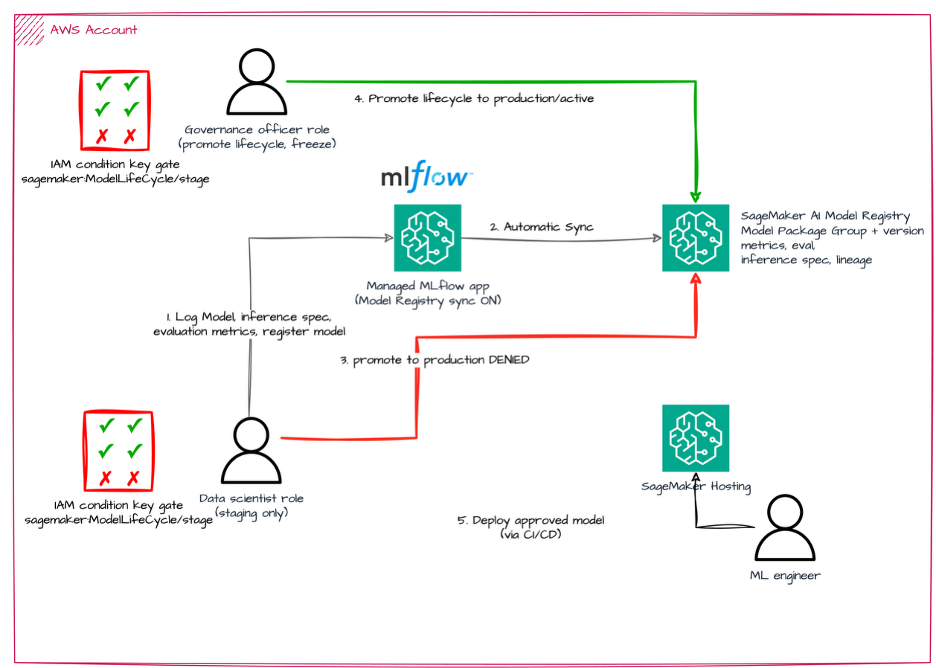
Open-source MLflow has no access control out of the box — anyone who can reach the tracking server can read and write everything. That’s fine on a laptop and a problem in an enterprise. In this post, we show how to run MLflow on serverless AWS infrastructure and put real authentication in front of it using only native AWS services: IAM for SageMaker jobs and Studio users, Amazon Cognito for the UI.
Full text here, and GitHub repository here
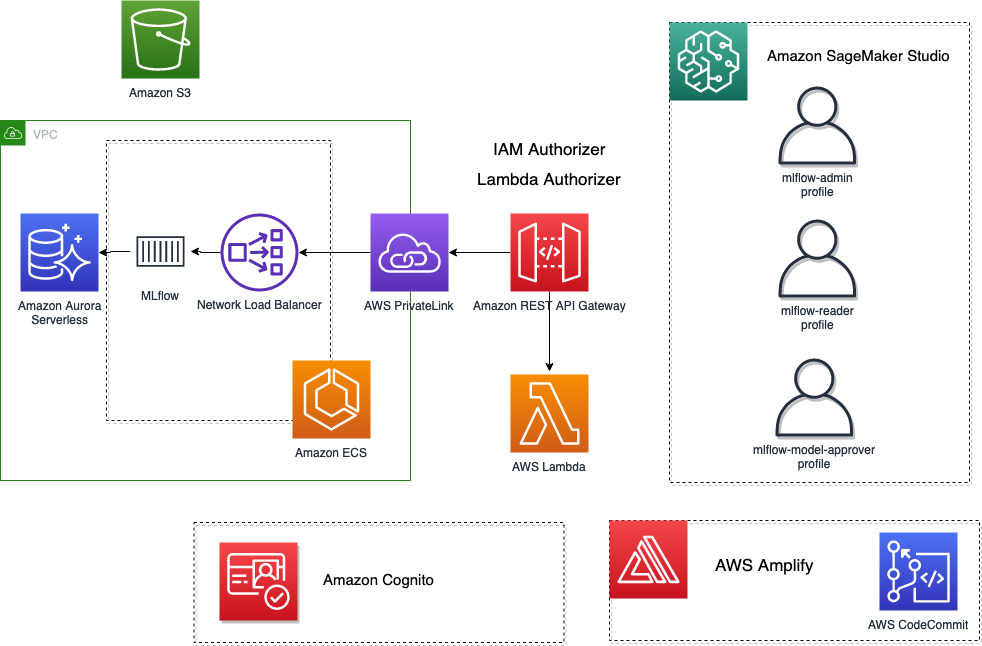
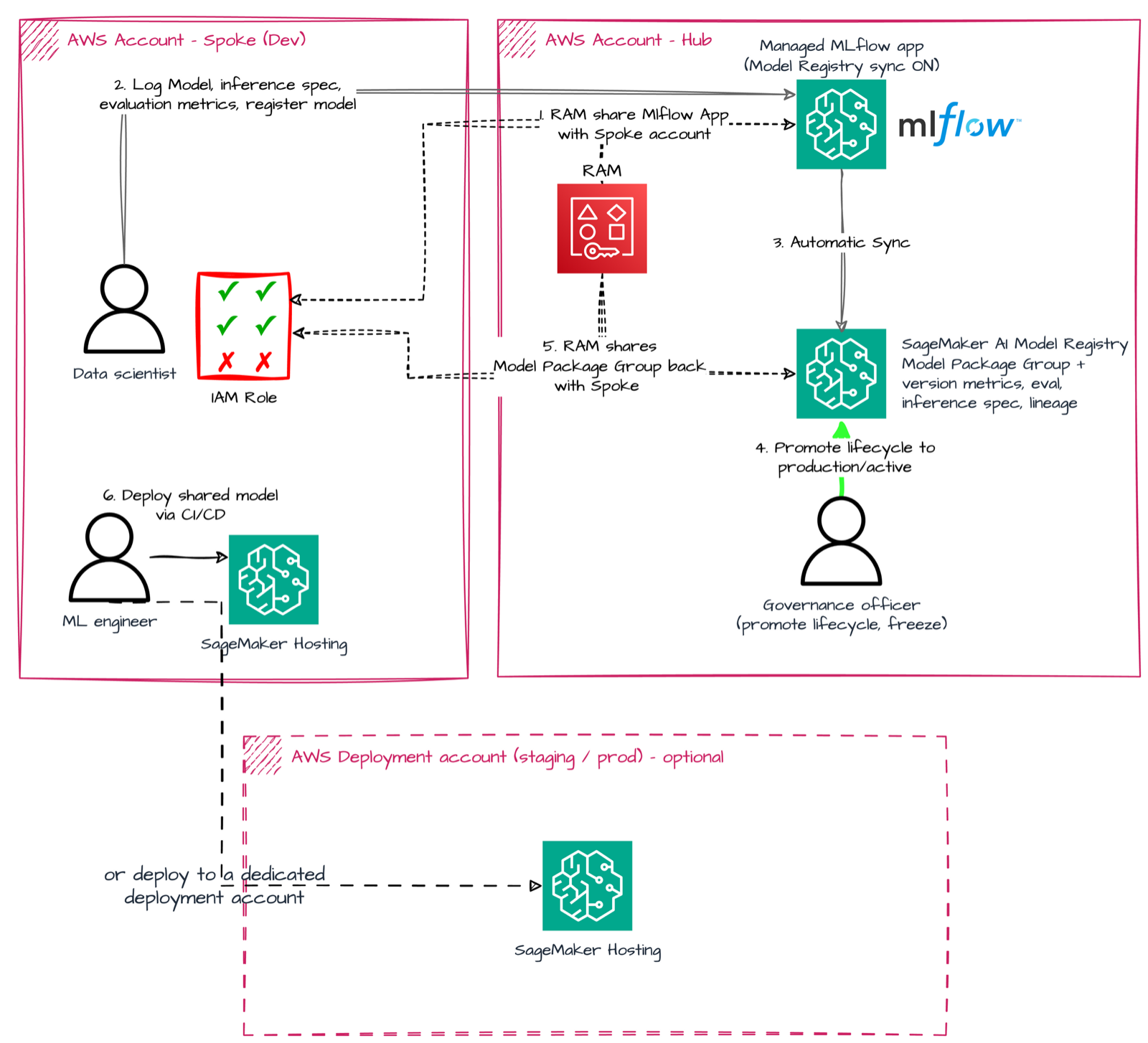
In this post, we show how to deploy an MLflow tracking server on serverless AWS infrastructure in a private subnet, and expose it through Amazon API Gateway with fine-grained access control implemented via IAM — so both SageMaker training jobs and SageMaker Studio users can authenticate with their existing execution roles, and UI access is handled through Amazon Cognito. We also cover using MLflow as a centralized registry in a multi-account setup and embedding the MLflow UI directly inside Studio with a JupyterLab extension.
What happened since. The IAM authentication piece needed a client that could sign requests, so I contributed AWS SigV4 signing to MLflow itself (MLFLOW_TRACKING_AWS_SIGV4) — merged upstream. The field experience behind this post also fed into design discussions with the AWS service team during the development of managed MLflow on Amazon SageMaker AI, which now solves the authentication problem as a managed feature — and I later co-wrote the network-isolation counterpart with AWS PrivateLink. If you’re starting today, start there; this post remains relevant if you need to self-host.